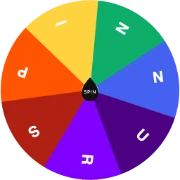
Free Custom Spinner Wheel
Welcome to Spinnur – Your Ultimate Spinning Wheel for Random Decisions! New version →
 SPIN
SPINQuick links
Spinnur Custom Wheel - Pick a Random Choice with Spinner Wheel
At Spinnur, we provide an interactive spinning wheel designed to help you make quick and random decisions. Whether you're stuck choosing what to eat, deciding on activities, or picking a winner in a game, our spinning wheel makes the process easy and enjoyable. Just add your options, spin the wheel, and let it choose for you.
When making decisions feels overwhelming, the wheel spinner steps in to handle those small but tricky choices with ease.
Simply input your options, spin the wheel, and get an instant random result. It’s quick, fun, and fair!
Select from three different Spinner Wheels:

Custom Spinner Wheel : Custom wheel that you can personalize to fit your needs.
Alphabet Spinner Wheel : The Alphabet Spinner Wheel is a random alphabet generator that uses a wheel to produce a random letter from A to Z. It designed specifically for generating random alphabets.
Why Choose Our Spinning Wheel?
- ➜ Customizable Options: Easily add your choices to the wheel. You can personalize it with different spinning time.
- ➜ Random Selection: The spinning wheel ensures unbiased results, giving each option an equal chance.
- ➜ Engaging Experience: Spin the wheel for a fun twist on decision-making, whether at home, in classrooms, or during group events.
How It works
- Add your choices : Add your options one at a time by clicking the + button. Enter your choice in Input box and click on + or press Enter key.

- Delete your choices : Remove your options one by one by clicking the X button. If you want to delete all choices at once, just click on "Delete All."
NOTE: Using the delete function will permanently remove your choices.

- Soft Delete your choices : If you want to temporarily remove your choices, use the checkbox to delete them one by one or the "Clear All" option to remove them all at once.


- Spin the Wheel: Click the spin button to start spinning.
- View Results: A randomly selected choice will pop up on your screen.

- Action Modes: Choose what action to take next ( modes explained below).
- Shuffle Inputs: You can shuffle or sort your inputs alphabetically if desired.
- Selected Results list: Click on the icon shown below to see the results selected during the current visit.

- Continue Spinning: Feel free to keep spinning for more selections.
Type of Modes :
- ➜ Normal Mode - Click on "DONE" : In this mode, the selected IPL team options will remain unchanged from your last spin.
- ➜ Elimination Mode - Click on "Remove Choice" : In this mode, the chosen team is removed from the list for the subsequent spin. Removed team can be identified by the uncheck box.
Get Started Today!
Join countless others who have simplified their decision-making with our spinning wheel. Spin now and let the fun begin!
With Spinnur's spinning wheel, you can turn indecision into excitement!
What is a Custom Spinner Wheel?
A Custom Spinner Wheel is a digital tool that allows users to input their own list of choices and have a virtual pointer select one at random. Unlike physical wheels used in carnivals or game shows, our digital version is available 24/7 on your favorite device. It provides a mathematical way to ensure fairness while maintaining the visual suspense of a real spinning mechanism.
Infinite Possibilities: Use Cases
Because you can add any text or numbers, the Custom Spinner Wheel is our most versatile tool. Here's how our community uses it:
- Dinner Decider: Can't agree on a restaurant? Input your top 5 choices and let the wheel settle the debate.
- Workplace Team Building: Use the wheel to pick presenting turns, assign small tasks, or choose a winner for an office raffle.
- Streaming & Content Creation: Many Twitch and YouTube streamers use our wheel to interact with their live audience, picking viewer names or random game challenges.
- Home Schooling: Make learning fun by putting "subjects" or "break activities" on the wheel.
Why Spinnur is the #1 Custom Spinner
We've designed our wheel to be the most user-friendly experience on the web:
- Instant Customization: Add or delete options in real-time. The wheel redraws instantly to accommodate your new list.
- High-Performance Graphics: Our canvas-based rendering ensures a smooth, 60FPS spin animation on both high-end PCs and older smartphones.
- Advanced Results History: Never lose track of a spin. The side panel logs every selection during your visit.
- Completely Free: No subscriptions, no hidden fees, and no account required. Just open and spin.
Sharing Your Wheel
While we prioritize your privacy and don't store your lists on our servers, you can easily share the fun by screen-sharing your browser window during virtual meetings. Our "Elimination Mode" is particularly popular for tournaments or narrowing down large lists of candidates one by one.
Fairness and Randomness
Our wheels use a pseudo-random number generator that evenly distributes the segments on the 360-degree circle. This ensures that every entry you type has an equal percentage chance of winning. Whether you have 2 options or 20, the wheel remains perfectly balanced for a fair outcome.