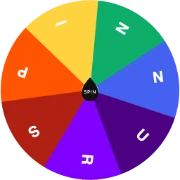
Every teacher knows the challenge: a hand raised by the same eager three students, while quieter students sink into the background. While enthusiastic volunteers are wonderful, relying exclusively on hand-raising creates unintentional equity gaps.
A Random Student Picker levels the playing field. By making selection transparent and automated, students understand that everyone has an equal opportunity—and responsibility—to contribute.
1. Cold-Calling with Zero Anxiety
Traditional cold-calling can cause anxiety if students feel singled out by the teacher. When a digital wheel selects the speaker, the process feels neutral and objective.
Students realize that the wheel—not personal preference—chose their name, which creates a safer psychological environment for taking academic risks.
🎓Random Student Picker
Try the dedicated student picker wheel designed for teachers.
2. Managing Daily Classroom Jobs & Responsibilities
Line leader, door holder, paper collector, tech manager—students care deeply about classroom roles. Avoid accusations of favoritism by spinning the wheel every Monday morning to distribute weekly responsibilities.
3. Determining Fair Presentation & Speaking Order
When students have to give oral presentations, arguing over who goes first or last wastes valuable lesson time. Spin the student picker to establish an immediate, undisputed speaking queue.
4. Group Work Leader Selection
When students form collaborative teams, assigning a group spokesperson or reporter can cause debate. Spin the wheel to select one student per team as the official presenter.
👥Random Group Generator
Instantly split your student roster into balanced teams.