🍱 What Should I Eat? - Food Decision Wheel
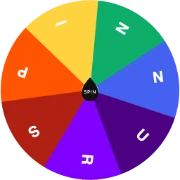
Can’t decide what to eat? Select a food category or spin the wheel to pick random dinner ideas, lunch meals, or takeout options!
 SPIN
SPINQuick links
📖 How to Use Food Picker Wheel
Follow these quick steps to get the most out of our free Food Picker Wheel.
Select a Food Category Preset
Click between "What Should I Eat?", "Random Food Picker", "Dinner Picker", or "Lunch Picker" pills.
Customize Your Meal Options
Add your local favorite restaurants, takeout spots, or home-cooked meals, and toggle options on or off.
Spin the Food Wheel
Click the central "SPIN" button or press Spacebar to let the wheel spin and land on a random food choice.
Enjoy Your Selected Meal
Celebrate the winner with sound effects! Click "Remove Choice" if you want to eliminate that food option and spin again.
💡 Popular Use Cases & Applications
Discover how educators, teams, event organizers, and players use Food Picker Wheel.
Couple & Family Dinner Decisions
Stop asking "What do you want for dinner?" and let the random food picker decide fairly without argument.
Office & Work Lunch Breaks
Pick a restaurant or food style quickly when heading out for lunch with coworkers.
Weekend Takeout & Delivery
Randomize between Thai, Mexican, Sushi, Pizza, Burgers, and Indian takeout options when craving a treat.
Recipe & Meal Prep Planning
Randomize meal ideas for the week to keep your weekly diet fresh, varied, and exciting.
❓ Frequently Asked Questions
Got questions about Food Picker Wheel? Find answers below.